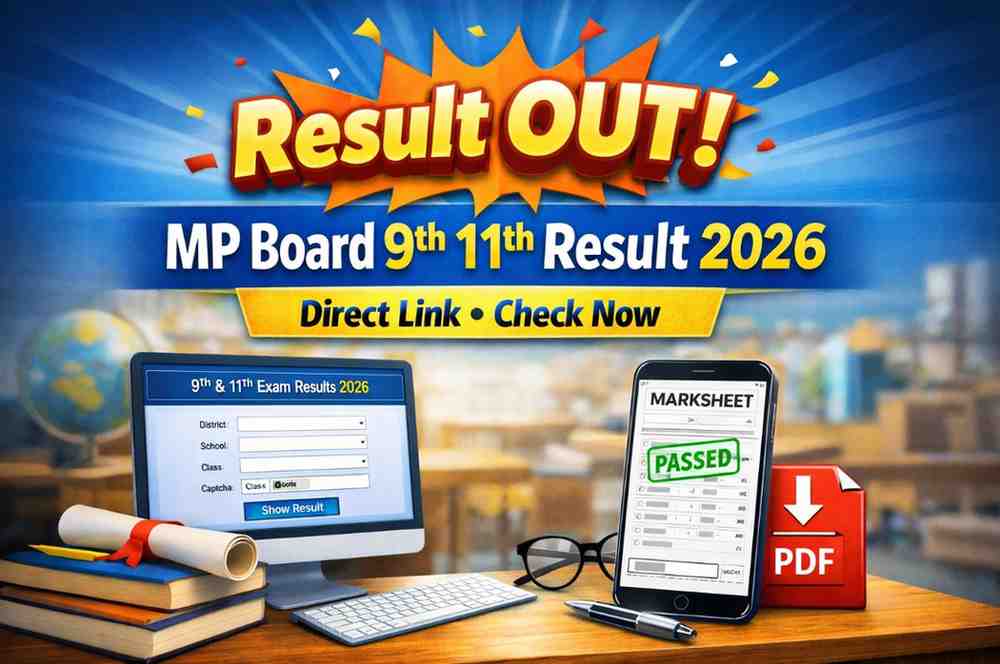
MP Board 9th 11th Result 2026: The long wait for students in Class 9 and 11 across Madhya Pradesh is finally over. While board exams for the 10th and 12th usually steal all the headlines, we know that for a student, the 9th and 11th results are the real gateway to those final high school years.If you are a student or a parent currently refreshing your browser tabs, this guide is for you.
We have seen how stressful result days can be—especially when official websites start slowing down under the pressure of 15 lakh students checking their marks at once. In this article, I will guide you through the best way to access your marksheet for the 2026 academic year without the usual technical issues.
The Release: What’s Happening Right Now?
Madhya Pradesh Board of Secondary Education (MPBSE) and the School Education Department have officially released the results for the 2025-26 academic session. Unlike the primary school results (Classes 5 and 8) which are handled via the RSKMP portal, the 9th and 11th results are traditionally hosted on the Vimarsh Portal and the MP Education Portal.From what I’ve observed over the years, many schools also upload these results to their own internal dashboards or distribute physical copies. However, if you want to see your digital marksheet right away, the online portals are the best option.
Read This Also: RBSE 10th Result 2026 OUT: Direct Link + Who got 99.17% Topper
Quick Steps to Download Your MP Board Marksheet
To save yourself from the maze of third-party advertisements, I suggest you follow the official sources. The steps I am providing below are the exact steps I follow to check the results quickly:
1. Visit the Official Portals : The primary sources for the Class 9 and 11 results are:
vimarsh.mp.gov.in
educationportal.mp.gov.in
2. Locate the Result Link : On the Vimarsh portal homepage, you will find a link “Class 9th & 11th Annual Exam Result 2026.” This link will take you to the login gateway for the results.
3. Enter Your Details : You will need more than just your name. Make sure you have the following details ready:
- District and Block: Choose your district and block from the dropdown menu.
- School Name: Choose your specific school from the dropdown menu.
- Class: Choose between 9th and 11th from the dropdown menu.
- Captcha: Solve the math problem (for example, 12 + 5) provided on the screen.
4.View and Save : Once you click “Show,” your provisional marksheet will appear.
Pro Tip: Don’t just take a screenshot. Use the “Print” command (Ctrl+P) and select “Save as PDF.” This will ensure that you have a high-quality copy that will remain legible if you need to print this for school admissions in the future.Troubleshooting:
Read This Also: Bihar ITI CAT Admission Form 2026: 33,108 Seats Apply Now
Why Can’t I See My Result?
It is very common to experience problems on the first day. Based on real-world feedback from students, here is a quick guide to the most common mistakes and how to fix them.
The ProblemThe Likely Cause The Solution
School Not Found Data entry delay: Some schools upload data a few hours later. Try again in the evening.
Page Loading Error Server Overload: Do not keep refreshing every second. Wait 5 minutes and try again.
Invalid Captcha: Case sensitivity or timeout. Refresh the captcha image and type the new code immediately.
Blank Marksheet: Browser compatibility.Switch from a mobile browser to Google Chrome on a desktop/laptop.
Essential Checklist
After Checking Your ResultOnce you have the marksheet in front of you, don’t just look at the “Pass” status.
Carefully check the following details:
Personal Info: Is your name, your father’s name, and your date of birth spelled correctly as they are written on your Aadhaar?
Subject Marks: Are all the subjects for which you have given your exam marked?
Grace Marks: If you see a “G” or “Grace” mentioned, this means that you were very close to the pass boundary.
School Seal: This is a “provisional” copy, so don’t forget that. You still need to visit your school to get the original marksheet with the Principal’s signature and school seal.
Summary and Takeaway
The 2026 MP Board Class 9 and 11 results are now live. While the digital copy gives you immediate relief (or a reason to start preparing for supplementary exams), it is not the final document. Use the Vimarsh Portal for the fastest access, but keep in touch with your class teacher for the official hard copy.If you haven’t cleared a subject, don’t lose heart—the MP Board usually announces “Ruk Jana Nahi” or supplementary exam dates shortly after the main results.
Read This Also: SSB Constable Tradesman Recruitment 2026: 827 Posts Apply Now
FAQS
Q1. How to check MP Board 9th 11th Result 2026 Online?
The result can be checked online from the official website of Vimarsh or Education Portal. The candidate needs to select the district, school, class, enter the Captcha, and click on ‘Show’ to view their results. The result will be displayed on the screen immediately.
Q2. What are the requirements for checking the MP Board 9th 11th Result 2026 Online?
The candidate needs district, block, school name, and class information. Without this information, it is not possible for a candidate to view their results. Therefore, it is advisable for candidates to keep all this information ready before checking their results online.
Q3. How do we download the MP Board 9th 11th Result 2026 Marksheet?
After checking their results, candidates can download their results by clicking on ‘Ctrl+P’ and selecting ‘Save as PDF’ so that their mark sheets are saved clearly.
Q4. Why is the MP Board 9th 11th Result 2026 not loading?
There may be a lot of traffic on the website. The server may take more time to load the website. In this case, you can try loading the website after a few minutes or use a computer screen to load the website using the Chrome browser.
Q5. Is the MP Board 9th 11th Result 2026 online result final?
No, the result shown online is a preliminary result. The final mark sheet for the MP Board 9th 11th Result 2026 needs to be collected from the respective schools.